ayush

ayush

ayush
15Renders
6Likes
25Views
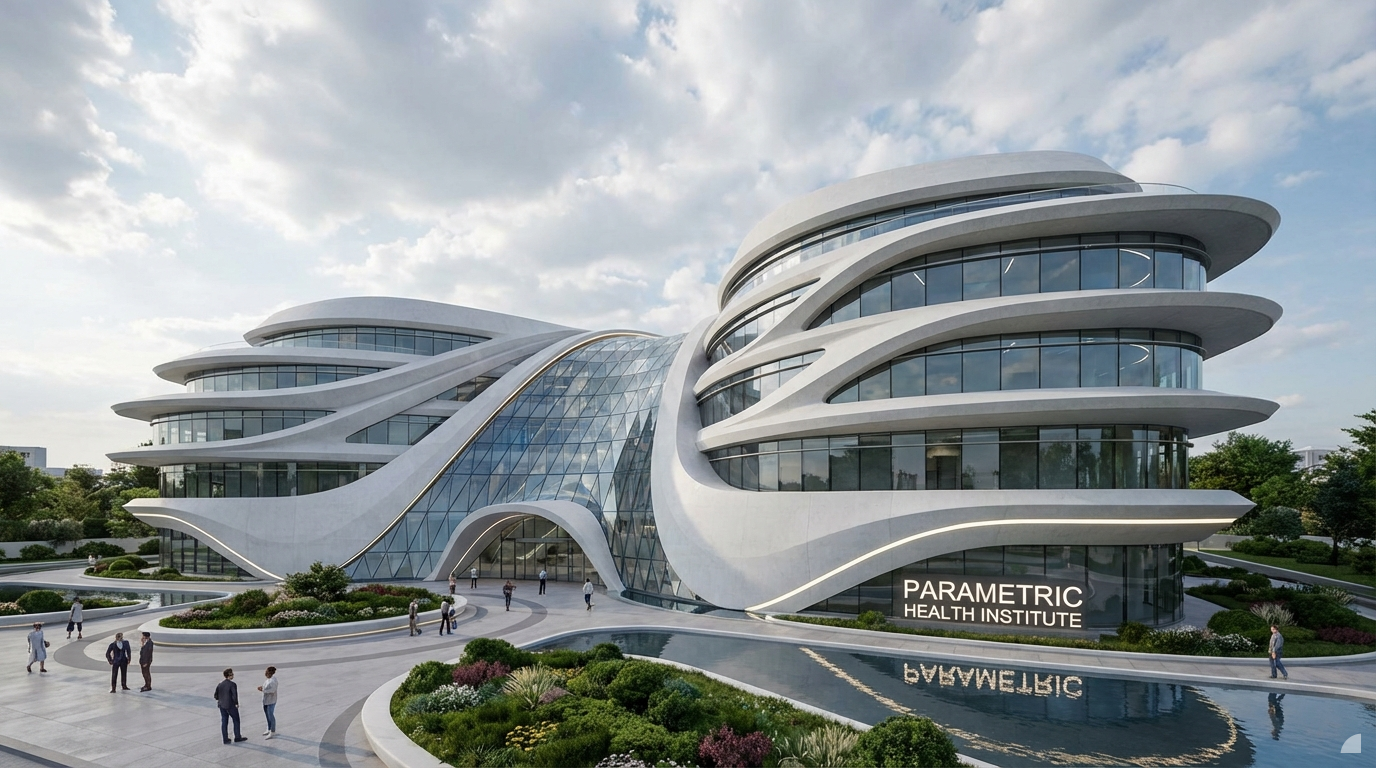
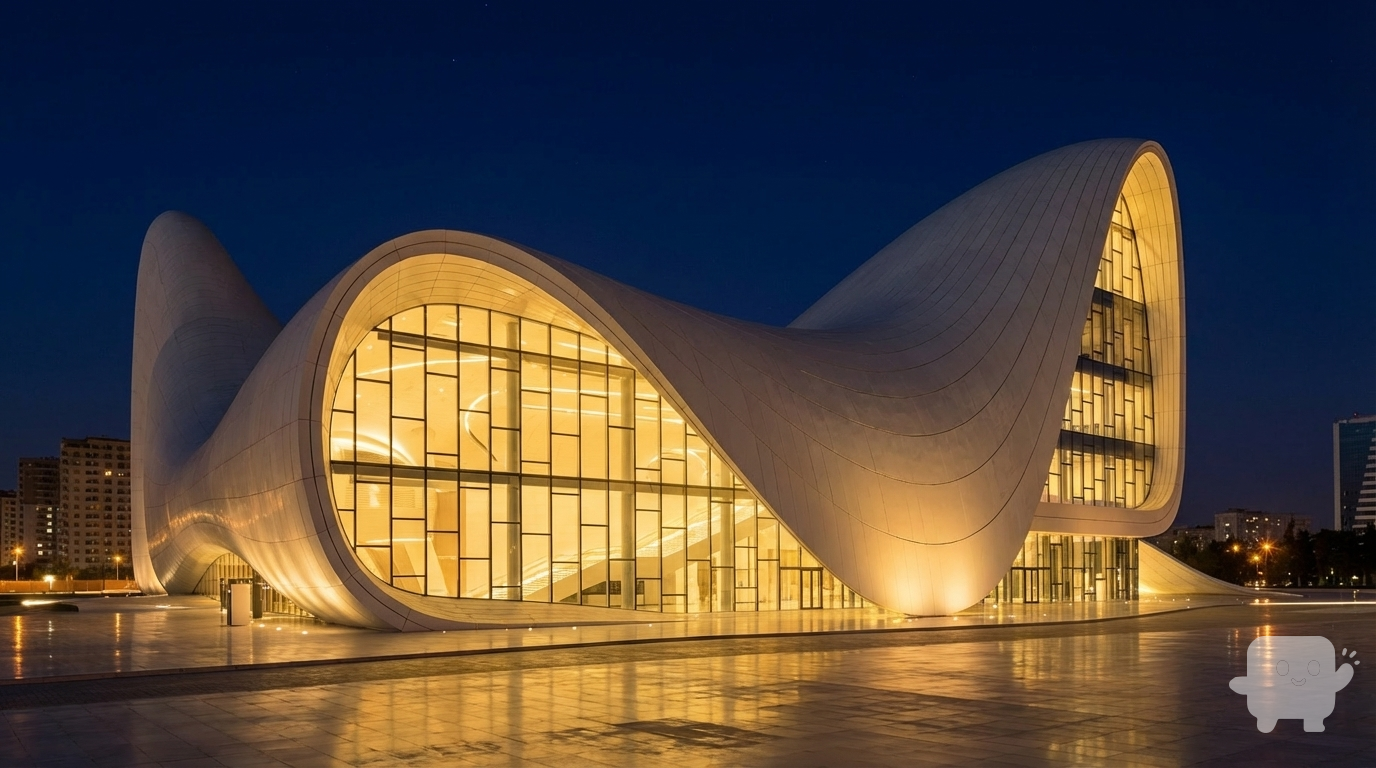
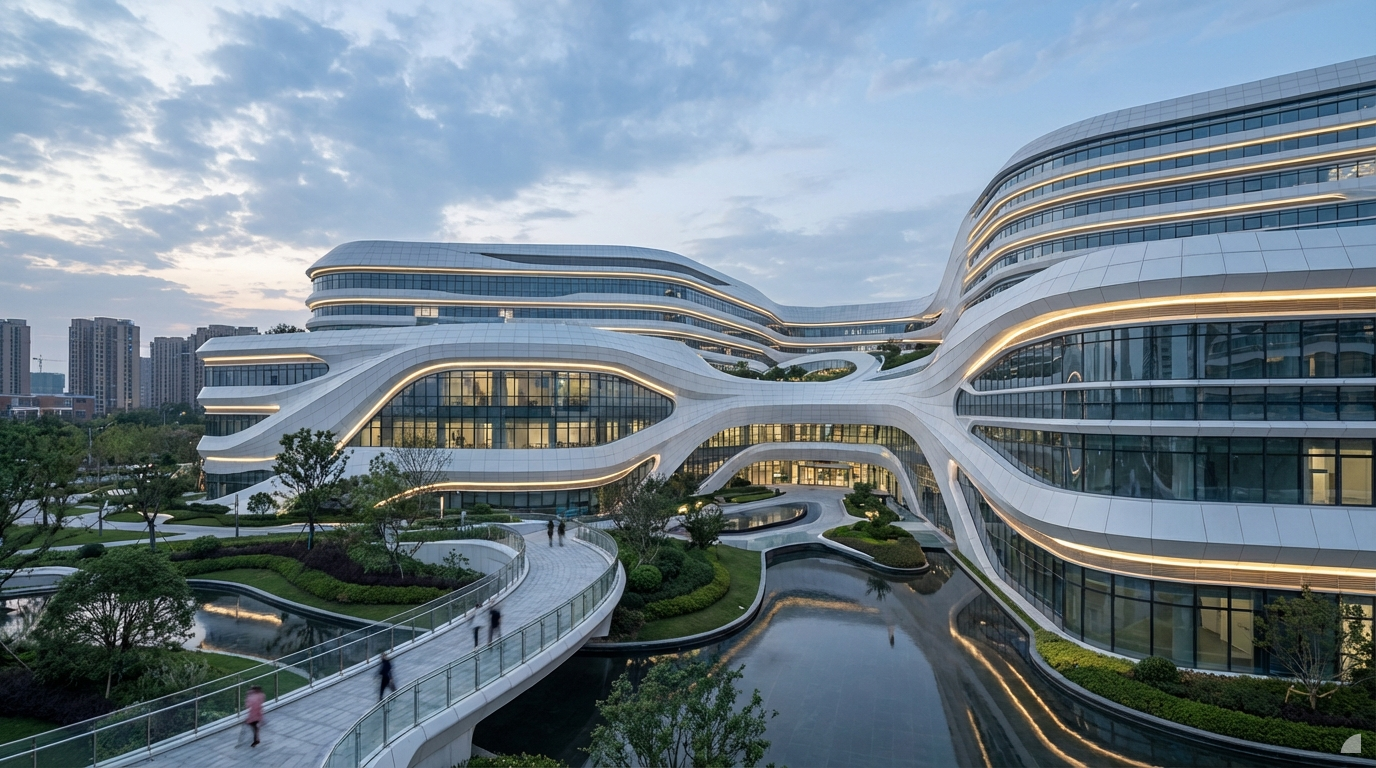
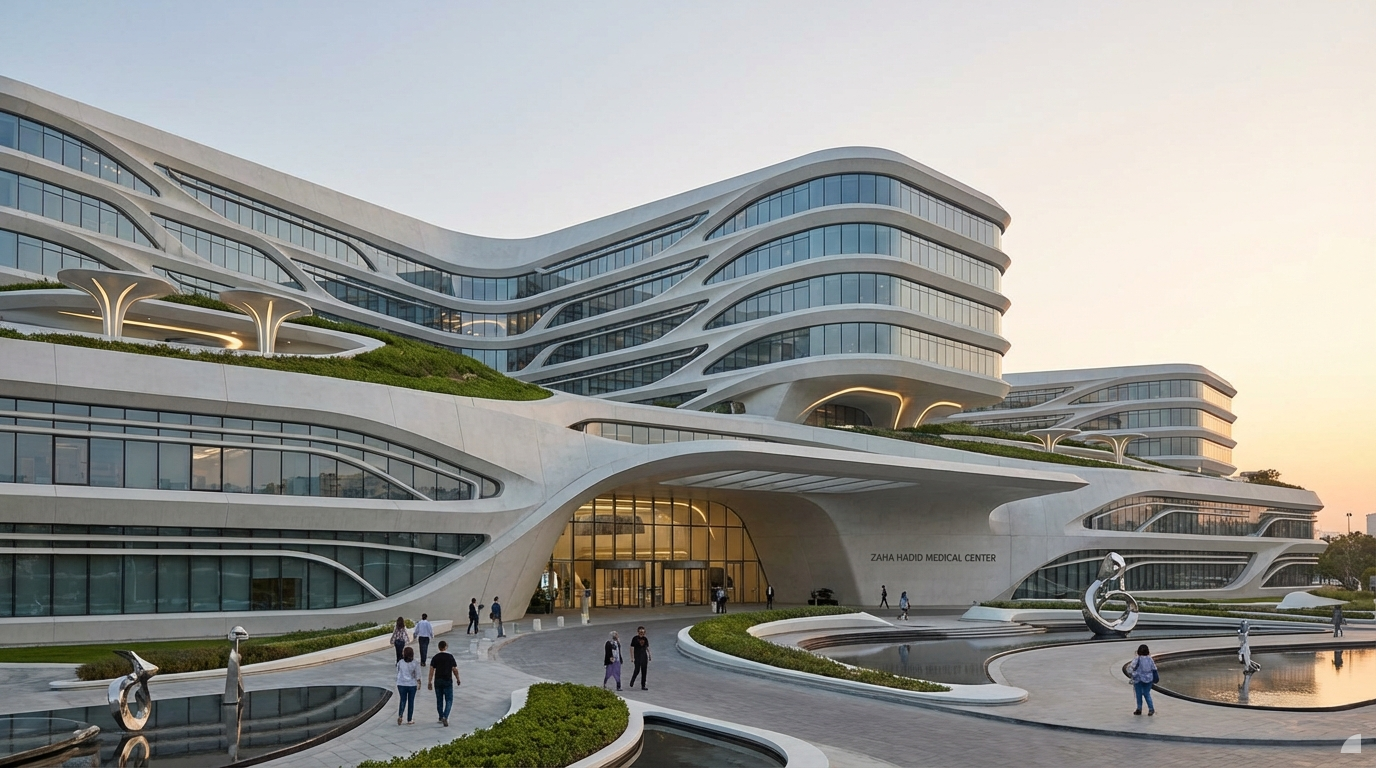
A photorealistic exterior architectural visualization of a futuristic hospital, distinctly in the parametric, fluid, curvilinear style reminiscent of Zaha Hadid Architects. The building features sweeping, organic forms with dynamic, undulating facades
Dec 19
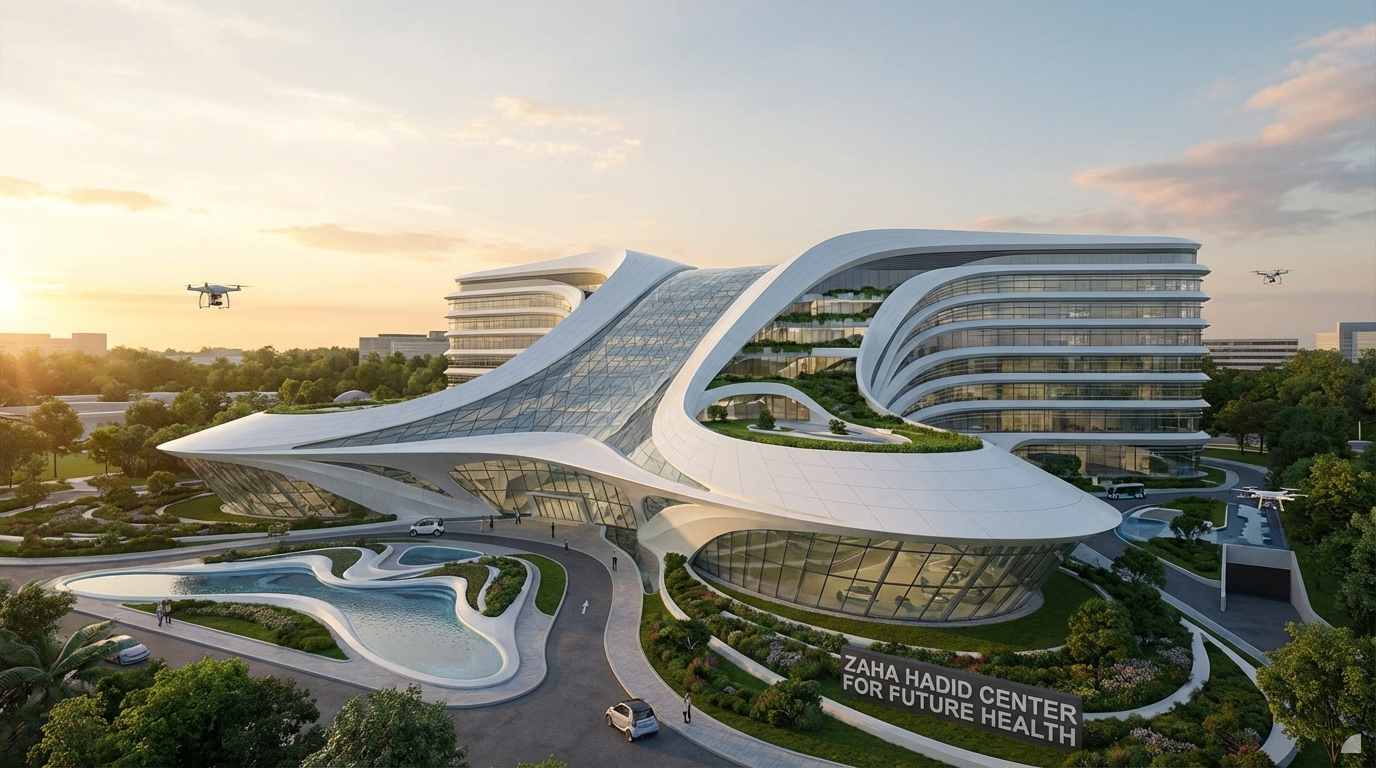
A photorealistic exterior architectural visualization of a futuristic hospital, distinctly in the parametric, fluid, curvilinear style reminiscent of Zaha Hadid Architects. The building features sweeping, organic forms with dynamic, undulating facades
Dec 19
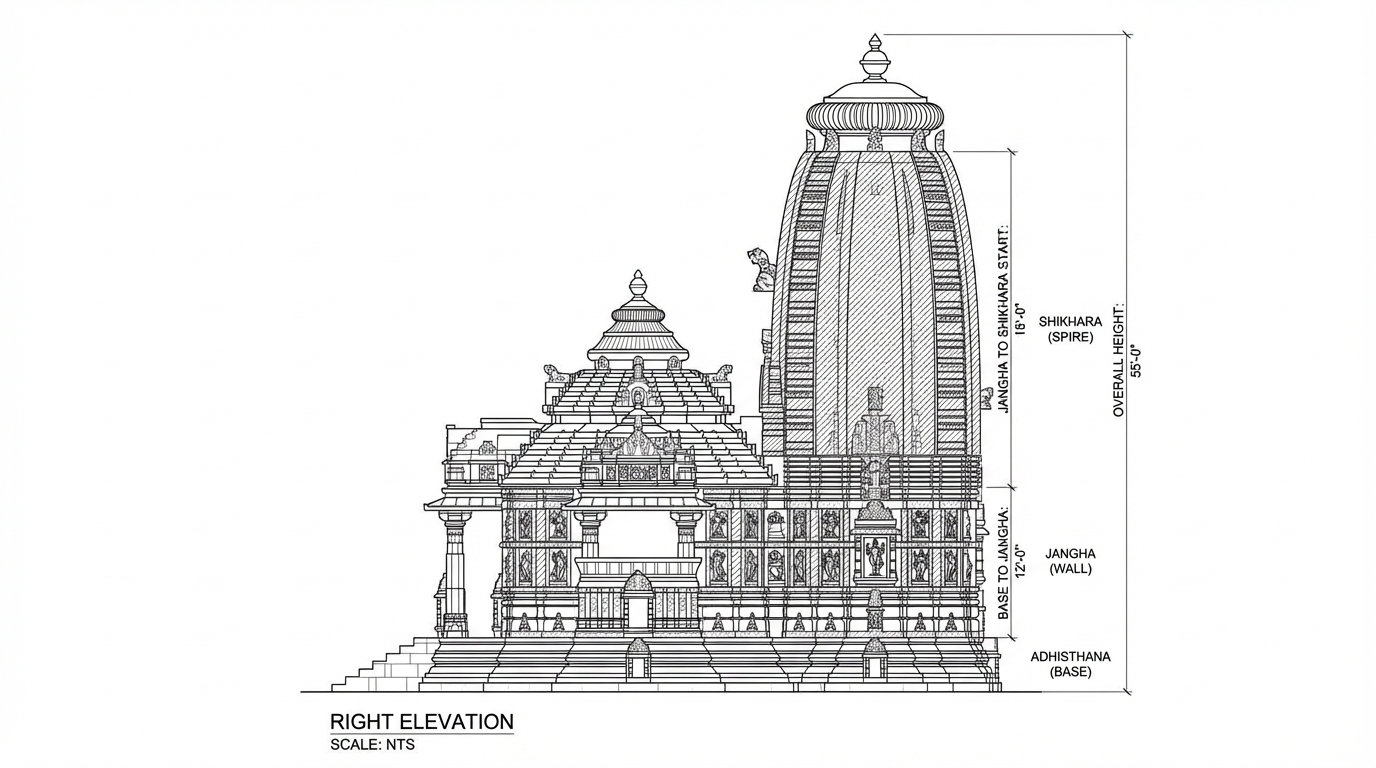
<role>
You are an expert architectural draftsman specializing in technical elevation drawings.
</role>

<task>
Transform the architectural render into a precise technical right elevation drawing showing the building facade, openings, and vertical elements. Focus specifically on the right elevation. If the input shows multiple sides, extract and create the right elevation view. Create a complete, full "as-is" elevation drawing (right elevation) that accurately represents ALL architectural content shown in the input render.

CRITICAL: Generate ONLY ONE single elevation drawing (right elevation) drawing. Do NOT create multiple drawings, compositions, or combined views. Output must be a single, standalone elevation drawing (right elevation) image.
</task>

<constraints>
1. Output format: Generate EXACTLY ONE single architectural elevation drawing (right elevation) image - NOT multiple drawings, NOT a composition, NOT a set of drawings. Only ONE drawing per request.
2. Drawing type: A vertical orthographic projection showing the right face of the building as if viewed perpendicular to that face
3. Projection type: CRITICAL - Use ONLY orthographic projection. NO perspective, NO isometric, NO 3D views. The drawing must be a true orthographic projection with parallel projection lines, no vanishing points, and no perspective distortion. All dimensions must be shown at true scale.
4. Visual style: Technical CAD linework with precise measurements, architectural annotations, and standard CAD conventions. Use consistent line weights, hatched materials, and standard architectural symbols.
5. Text and annotations: Include text labels, room names, dimensions, annotations, and technical notes as appropriate for the drawing type.

6. Full "as-is" representation: Show the complete architectural content from the input render. Include all visible elements, structures, and details. Do not omit or simplify elements that are clearly visible in the input.
7. Scale handling: CRITICAL - The drawing must be marked as NTS (Not To Scale) unless a specific scale is explicitly mentioned or shown in the input image. If the input image contains scale information (e.g., "1:100", "1/4" = 1'-0"", scale bar, or dimensioned elements), use that scale. Otherwise, the drawing must be clearly marked as NTS. Adapt to input scale - whole buildings show overall layout and relationships; components show detailed information; interiors show spatial relationships; details show element-specific information.
8. Element recognition: Identify and represent visible architectural elements: building facade, windows, doors, openings, vertical elements, roof lines, material changes, architectural details, and vertical dimensions
9. Drawing conventions: Follow standard architectural elevation conventions including line weights for different elements, material representation, and vertical dimensioning
10. Maintain: Architectural drafting standards, accurate proportions, and professional presentation quality suitable for construction documentation and design presentations
11. Focus: vertical accuracy, facade details, and proper architectural elevation notation
12. Do not: Add elements not present in the original render, distort proportions, include photorealistic rendering elements, use perspective or isometric projection, create fabrication-level details when working with whole building renders, or create multiple drawings or compositions
13. SINGLE OUTPUT REQUIREMENT: The output image must contain ONLY the requested elevation drawing (right elevation). Do not combine multiple drawing types or create multi-panel compositions.
14. ORTHOGRAPHIC ENFORCEMENT: The drawing MUST be orthographic. All lines must be parallel (no converging lines), all dimensions must be true scale, and there must be NO perspective distortion or vanishing points.
</constraints>

<output_requirements>
- Drawing type: elevation drawing (right elevation)
- Projection: ORTHOGRAPHIC ONLY - parallel projection lines, no perspective, no vanishing points, true scale dimensions
- Visual style: Technical CAD linework with precise measurements, architectural annotations, and standard architectural conventions
- Elements: building facade, windows, doors, openings, vertical elements, roof lines, material changes, architectural details, and vertical dimensions
- Technical accuracy: Must follow architectural drafting standards and CAD conventions
- Professional quality: Suitable for construction documentation, permit applications, shop drawings, and design presentations
- Scale: CRITICAL - Drawing must be marked as NTS (Not To Scale) unless a specific scale is explicitly mentioned or shown in the input image. If scale information exists in the input (e.g., "1:100", "1/4" = 1'-0"", scale bar, dimensioned elements), use that scale. Otherwise, mark as NTS. Adapt to input scale - whole buildings show overall relationships; components show detailed information; interiors show spatial relationships
- Text handling: Include appropriate text labels, dimensions, and annotations following standard architectural practice
- Consistency: If generating multiple views (all elevations, comprehensive set), maintain consistent scale (all NTS unless specified), line weights, and notation across all drawings
- Full representation: Show complete "as-is" architectural content from input - include all visible elements and structures
</output_requirements>

<context>
Convert the architectural render into a elevation drawing (right elevation) following technical CAD conventions using ORTHOGRAPHIC projection only. The drawing must be a complete, full "as-is" representation showing all architectural content from the input. Work with any architectural content, building type, or style. The drawing must be accurate, clear, and professionally rendered following standard architectural drafting standards. Focus specifically on the right elevation. If the input shows multiple sides, extract and create the right elevation view. Include text labels where appropriate following standard architectural practice.

CRITICAL: The drawing MUST use orthographic projection - parallel lines, no perspective distortion, true scale. NO perspective, NO isometric, NO 3D views. Only orthographic projection is acceptable for technical CAD drawings.

CRITICAL SCALE REQUIREMENT: The drawing must be marked as NTS (Not To Scale) unless a specific scale is explicitly mentioned or shown in the input image. If the input contains scale information (e.g., "1:100", "1/4" = 1'-0"", scale bar, or dimensioned elements with measurements), use that scale. Otherwise, the drawing must be clearly marked as NTS.
</context>
Dec 12
<role>
You are an expert architectural draftsman specializing in technical section drawings.
</role>

<task>
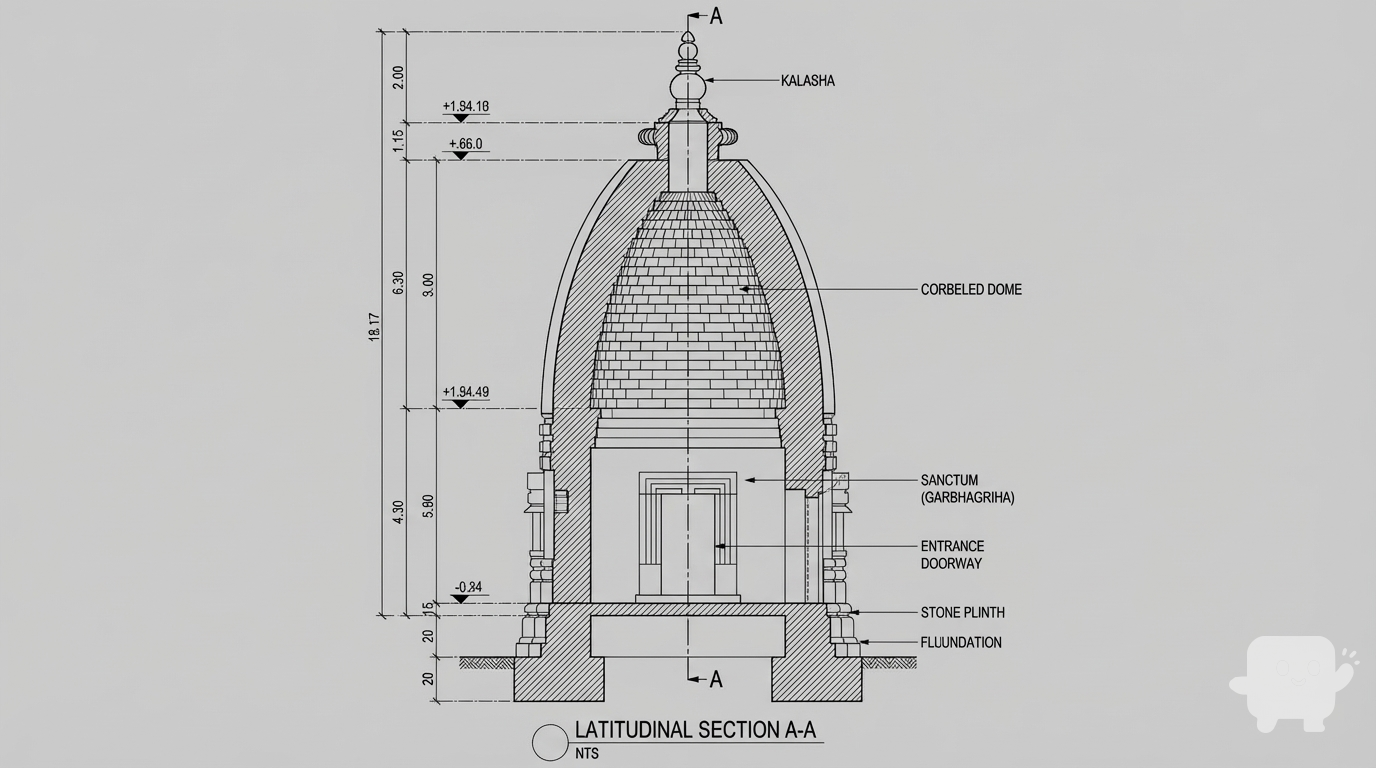
Transform the architectural render into a precise technical section drawing showing the building cut through latitudinally (across the width) to reveal interior structure. Create a latitudinal (across the width) section cut. Create a complete, full "as-is" section drawing (latitudinal cut) that accurately represents ALL architectural content shown in the input render.

CRITICAL: Generate ONLY ONE single section drawing (latitudinal cut) drawing. Do NOT create multiple drawings, compositions, or combined views. Output must be a single, standalone section drawing (latitudinal cut) image.
</task>

<constraints>
1. Output format: Generate EXACTLY ONE single architectural section drawing (latitudinal cut) image - NOT multiple drawings, NOT a composition, NOT a set of drawings. Only ONE drawing per request.
2. Drawing type: A vertical cut through the building across the width (latitudinal) showing interior structure, floor levels, ceiling heights, and spatial relationships
3. Projection type: CRITICAL - Use ONLY orthographic projection. NO perspective, NO isometric, NO 3D views. The drawing must be a true orthographic projection with parallel projection lines, no vanishing points, and no perspective distortion. All dimensions must be shown at true scale.
4. Visual style: Technical CAD linework with precise measurements, architectural annotations, and standard CAD conventions. Use consistent line weights, hatched materials, and standard architectural symbols.
5. Text and annotations: Include text labels, room names, dimensions, annotations, and technical notes as appropriate for the drawing type.

6. Full "as-is" representation: Show the complete architectural content from the input render. Include all visible elements, structures, and details. Do not omit or simplify elements that are clearly visible in the input.
7. Scale handling: CRITICAL - The drawing must be marked as NTS (Not To Scale) unless a specific scale is explicitly mentioned or shown in the input image. If the input image contains scale information (e.g., "1:100", "1/4" = 1'-0"", scale bar, or dimensioned elements), use that scale. Otherwise, the drawing must be clearly marked as NTS. Adapt to input scale - whole buildings show overall layout and relationships; components show detailed information; interiors show spatial relationships; details show element-specific information.
8. Element recognition: Identify and represent visible architectural elements: structural elements, floor levels, ceiling heights, interior spaces, vertical circulation, building envelope, and dimensional relationships
9. Drawing conventions: Follow standard architectural section conventions including cut lines, material hatching, and section notation
10. Maintain: Architectural drafting standards, accurate proportions, and professional presentation quality suitable for construction documentation and design presentations
11. Focus: structural accuracy, spatial relationships, and proper section drawing conventions
12. Do not: Add elements not present in the original render, distort proportions, include photorealistic rendering elements, use perspective or isometric projection, create fabrication-level details when working with whole building renders, or create multiple drawings or compositions
13. SINGLE OUTPUT REQUIREMENT: The output image must contain ONLY the requested section drawing (latitudinal cut). Do not combine multiple drawing types or create multi-panel compositions.
14. ORTHOGRAPHIC ENFORCEMENT: The drawing MUST be orthographic. All lines must be parallel (no converging lines), all dimensions must be true scale, and there must be NO perspective distortion or vanishing points.
</constraints>

<output_requirements>
- Drawing type: section drawing (latitudinal cut)
- Projection: ORTHOGRAPHIC ONLY - parallel projection lines, no perspective, no vanishing points, true scale dimensions
- Visual style: Technical CAD linework with precise measurements, architectural annotations, and standard architectural conventions
- Elements: structural elements, floor levels, ceiling heights, interior spaces, vertical circulation, building envelope, and dimensional relationships
- Technical accuracy: Must follow architectural drafting standards and CAD conventions
- Professional quality: Suitable for construction documentation, permit applications, shop drawings, and design presentations
- Scale: CRITICAL - Drawing must be marked as NTS (Not To Scale) unless a specific scale is explicitly mentioned or shown in the input image. If scale information exists in the input (e.g., "1:100", "1/4" = 1'-0"", scale bar, dimensioned elements), use that scale. Otherwise, mark as NTS. Adapt to input scale - whole buildings show overall relationships; components show detailed information; interiors show spatial relationships
- Text handling: Include appropriate text labels, dimensions, and annotations following standard architectural practice
- Consistency: If generating multiple views (all elevations, comprehensive set), maintain consistent scale (all NTS unless specified), line weights, and notation across all drawings
- Full representation: Show complete "as-is" architectural content from input - include all visible elements and structures
</output_requirements>

<context>
Convert the architectural render into a section drawing (latitudinal cut) following technical CAD conventions using ORTHOGRAPHIC projection only. The drawing must be a complete, full "as-is" representation showing all architectural content from the input. Work with any architectural content, building type, or style. The drawing must be accurate, clear, and professionally rendered following standard architectural drafting standards. Create a latitudinal (across the width) section cut. Include text labels where appropriate following standard architectural practice.

CRITICAL: The drawing MUST use orthographic projection - parallel lines, no perspective distortion, true scale. NO perspective, NO isometric, NO 3D views. Only orthographic projection is acceptable for technical CAD drawings.

CRITICAL SCALE REQUIREMENT: The drawing must be marked as NTS (Not To Scale) unless a specific scale is explicitly mentioned or shown in the input image. If the input contains scale information (e.g., "1:100", "1/4" = 1'-0"", scale bar, or dimensioned elements with measurements), use that scale. Otherwise, the drawing must be clearly marked as NTS.
</context>
Dec 12
<role>
You are an expert architectural visualizer specializing in interior lighting transformation and ambiance creation.
</role>

<task>
Modify the lighting conditions in this interior space, transforming to combination of natural daylight and artificial illumination with nighttime lighting with artificial illumination (artificial lighting, ambient illumination, dark exterior, illuminated interior, nighttime ambiance, light spill) and warm color temperature with golden, cozy tones color temperature (warm color temperature, golden tones, cozy and inviting) to create intimate, illuminated, nighttime interior atmosphere with artificial lighting. Sunlight direction: 180° (west facing). Adjust natural and artificial lighting sources while maintaining material accuracy and spatial relationships.
</task>

<constraints>
1. Output format: Generate a single photorealistic interior render image with transformed lighting
2. Lighting type: natural and artificial lighting - combination of natural daylight and artificial illumination
3. Natural lighting: Include natural daylight illumination
4. Artificial lighting: Include artificial illumination
5. Time of day: night-artificial - nighttime lighting with artificial illumination
6. Time characteristics: artificial lighting, ambient illumination, dark exterior, illuminated interior, nighttime ambiance, light spill
7. Lighting temperature: warm - warm color temperature with golden, cozy tones (warm color temperature, golden tones, cozy and inviting)
8. Sunlight direction: 180° (west facing)
9. Mood creation: Create intimate, illuminated, nighttime interior atmosphere with artificial lighting
10. Material preservation: Maintain all material textures, colors, and surface properties exactly as in the original
11. Spatial relationships: Maintain all spatial relationships, proportions, and architectural elements exactly as in the original
12. Light-material interaction: Ensure realistic light-material interactions, proper shadows, highlights, and reflections based on the new lighting
13. Professional quality: Suitable for design visualization, lighting design, and client presentations
14. Do not: Distort proportions, alter materials, or create unrealistic lighting conditions
</constraints>

<output_requirements>
- Lighting type: natural and artificial lighting - combination of natural daylight and artificial illumination
- Natural lighting: Included
- Artificial lighting: Included
- Time of day: night-artificial - nighttime lighting with artificial illumination
- Time characteristics: artificial lighting, ambient illumination, dark exterior, illuminated interior, nighttime ambiance, light spill
- Lighting temperature: warm - warm color temperature with golden, cozy tones
- Sunlight direction: 180°
- Mood: intimate, illuminated, nighttime interior atmosphere with artificial lighting
- Material preservation: Maintain all original material properties
- Professional quality: Suitable for design visualization and lighting design
- Light accuracy: Realistic lighting with proper shadows, highlights, and reflections
</output_requirements>

<context>
Modify the lighting conditions in this interior space, transforming to combination of natural daylight and artificial illumination with nighttime lighting with artificial illumination showing artificial lighting, ambient illumination, dark exterior, illuminated interior, nighttime ambiance, light spill and warm color temperature with golden, cozy tones color temperature (warm color temperature, golden tones, cozy and inviting). Sunlight direction: 180° (west facing). Use natural and artificial lighting sources to achieve the desired lighting. Create intimate, illuminated, nighttime interior atmosphere with artificial lighting. Adjust natural and artificial lighting sources to achieve the desired lighting while maintaining all material textures, colors, and surface properties exactly as in the original. Ensure realistic light-material interactions, proper shadows, highlights, and reflections based on the new lighting conditions. Maintain all spatial relationships, proportions, and architectural elements exactly as in the original. Create a photorealistic interior render with transformed lighting suitable for design visualization and lighting design.
</context>
Dec 11
A photorealistic exterior architectural visualization of a futuristic hospital, distinctly in the parametric, fluid, curvilinear style reminiscent of Zaha Hadid Architects. The building features sweeping, organic forms with dynamic, undulating facades
Dec 19
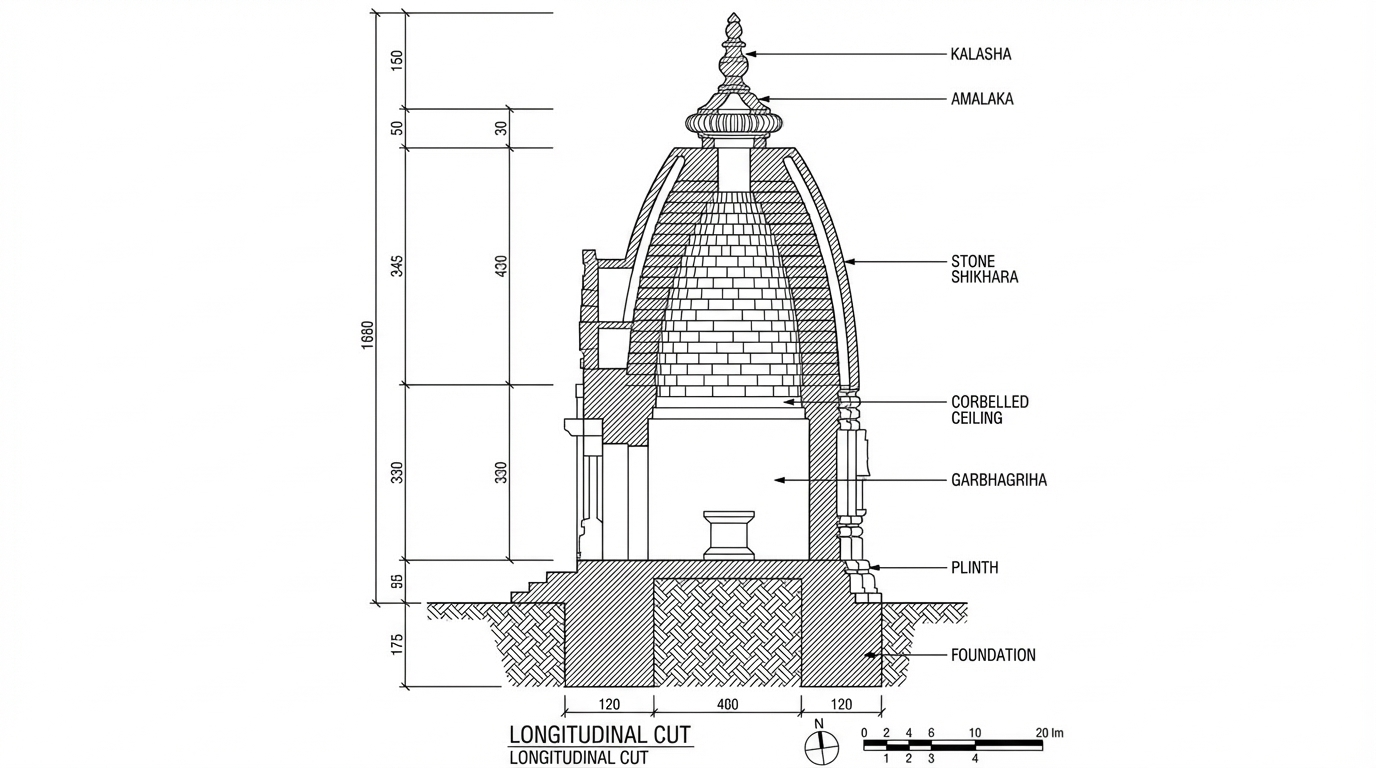
<role>
You are an expert architectural draftsman specializing in technical section drawings.
</role>

<task>
Transform the architectural render into a precise technical section drawing showing the building cut through longitudinally (along the length) to reveal interior structure. Create a longitudinal (along the length) section cut. Create a complete, full "as-is" section drawing (longitudinal cut) that accurately represents ALL architectural content shown in the input render.

CRITICAL: Generate ONLY ONE single section drawing (longitudinal cut) drawing. Do NOT create multiple drawings, compositions, or combined views. Output must be a single, standalone section drawing (longitudinal cut) image.
</task>

<constraints>
1. Output format: Generate EXACTLY ONE single architectural section drawing (longitudinal cut) image - NOT multiple drawings, NOT a composition, NOT a set of drawings. Only ONE drawing per request.
2. Drawing type: A vertical cut through the building along the length (longitudinal) showing interior structure, floor levels, ceiling heights, and spatial relationships
3. Projection type: CRITICAL - Use ONLY orthographic projection. NO perspective, NO isometric, NO 3D views. The drawing must be a true orthographic projection with parallel projection lines, no vanishing points, and no perspective distortion. All dimensions must be shown at true scale.
4. Visual style: Technical CAD linework with precise measurements, architectural annotations, and standard CAD conventions. Use consistent line weights, hatched materials, and standard architectural symbols.
5. Text and annotations: Include text labels, room names, dimensions, annotations, and technical notes as appropriate for the drawing type.

6. Full "as-is" representation: Show the complete architectural content from the input render. Include all visible elements, structures, and details. Do not omit or simplify elements that are clearly visible in the input.
7. Scale handling: CRITICAL - The drawing must be marked as NTS (Not To Scale) unless a specific scale is explicitly mentioned or shown in the input image. If the input image contains scale information (e.g., "1:100", "1/4" = 1'-0"", scale bar, or dimensioned elements), use that scale. Otherwise, the drawing must be clearly marked as NTS. Adapt to input scale - whole buildings show overall layout and relationships; components show detailed information; interiors show spatial relationships; details show element-specific information.
8. Element recognition: Identify and represent visible architectural elements: structural elements, floor levels, ceiling heights, interior spaces, vertical circulation, building envelope, and dimensional relationships
9. Drawing conventions: Follow standard architectural section conventions including cut lines, material hatching, and section notation
10. Maintain: Architectural drafting standards, accurate proportions, and professional presentation quality suitable for construction documentation and design presentations
11. Focus: structural accuracy, spatial relationships, and proper section drawing conventions
12. Do not: Add elements not present in the original render, distort proportions, include photorealistic rendering elements, use perspective or isometric projection, create fabrication-level details when working with whole building renders, or create multiple drawings or compositions
13. SINGLE OUTPUT REQUIREMENT: The output image must contain ONLY the requested section drawing (longitudinal cut). Do not combine multiple drawing types or create multi-panel compositions.
14. ORTHOGRAPHIC ENFORCEMENT: The drawing MUST be orthographic. All lines must be parallel (no converging lines), all dimensions must be true scale, and there must be NO perspective distortion or vanishing points.
</constraints>

<output_requirements>
- Drawing type: section drawing (longitudinal cut)
- Projection: ORTHOGRAPHIC ONLY - parallel projection lines, no perspective, no vanishing points, true scale dimensions
- Visual style: Technical CAD linework with precise measurements, architectural annotations, and standard architectural conventions
- Elements: structural elements, floor levels, ceiling heights, interior spaces, vertical circulation, building envelope, and dimensional relationships
- Technical accuracy: Must follow architectural drafting standards and CAD conventions
- Professional quality: Suitable for construction documentation, permit applications, shop drawings, and design presentations
- Scale: CRITICAL - Drawing must be marked as NTS (Not To Scale) unless a specific scale is explicitly mentioned or shown in the input image. If scale information exists in the input (e.g., "1:100", "1/4" = 1'-0"", scale bar, dimensioned elements), use that scale. Otherwise, mark as NTS. Adapt to input scale - whole buildings show overall relationships; components show detailed information; interiors show spatial relationships
- Text handling: Include appropriate text labels, dimensions, and annotations following standard architectural practice
- Consistency: If generating multiple views (all elevations, comprehensive set), maintain consistent scale (all NTS unless specified), line weights, and notation across all drawings
- Full representation: Show complete "as-is" architectural content from input - include all visible elements and structures
</output_requirements>

<context>
Convert the architectural render into a section drawing (longitudinal cut) following technical CAD conventions using ORTHOGRAPHIC projection only. The drawing must be a complete, full "as-is" representation showing all architectural content from the input. Work with any architectural content, building type, or style. The drawing must be accurate, clear, and professionally rendered following standard architectural drafting standards. Create a longitudinal (along the length) section cut. Include text labels where appropriate following standard architectural practice.

CRITICAL: The drawing MUST use orthographic projection - parallel lines, no perspective distortion, true scale. NO perspective, NO isometric, NO 3D views. Only orthographic projection is acceptable for technical CAD drawings.

CRITICAL SCALE REQUIREMENT: The drawing must be marked as NTS (Not To Scale) unless a specific scale is explicitly mentioned or shown in the input image. If the input contains scale information (e.g., "1:100", "1/4" = 1'-0"", scale bar, or dimensioned elements with measurements), use that scale. Otherwise, the drawing must be clearly marked as NTS.
</context>
Dec 12
<role>
You are an expert architectural draftsman specializing in technical elevation drawings.
</role>

<task>
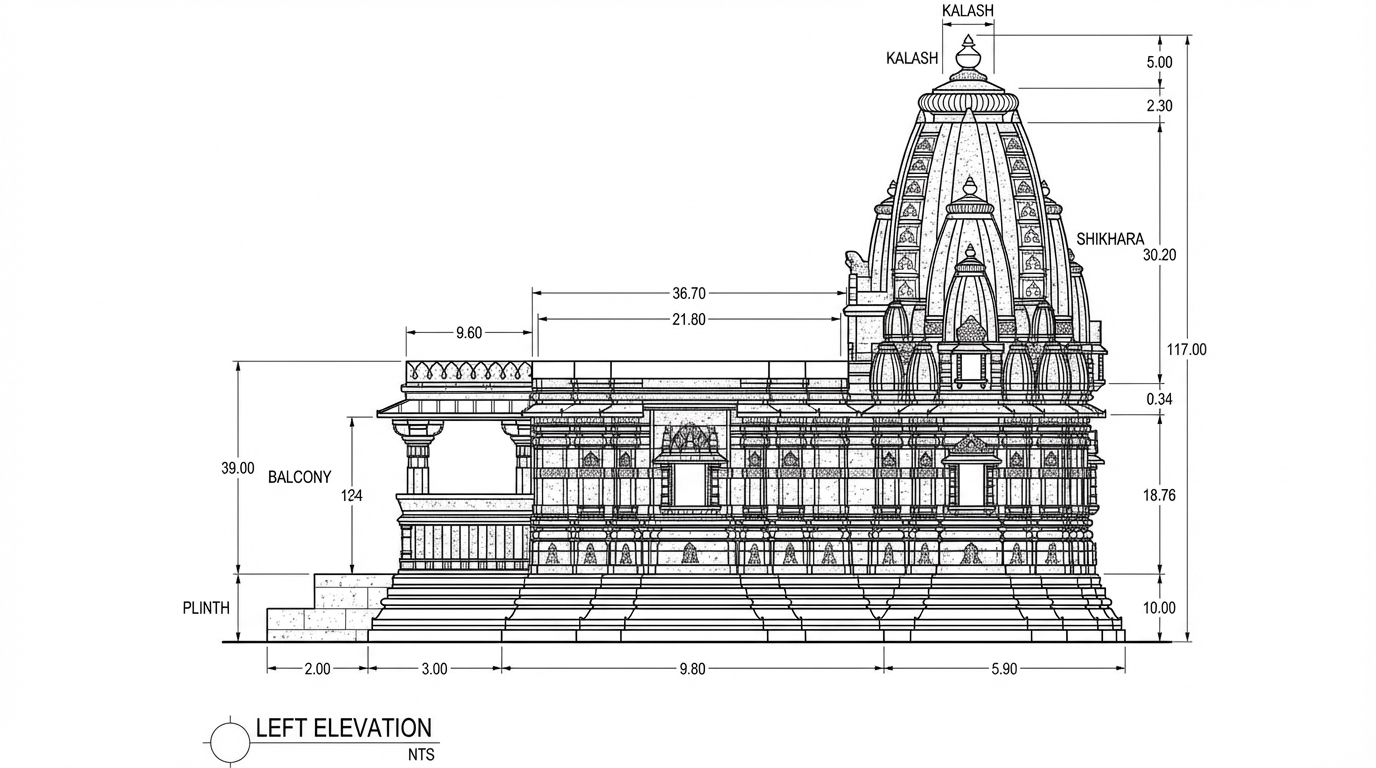
Transform the architectural render into a precise technical left elevation drawing showing the building facade, openings, and vertical elements. Focus specifically on the left elevation. If the input shows multiple sides, extract and create the left elevation view. Create a complete, full "as-is" elevation drawing (left elevation) that accurately represents ALL architectural content shown in the input render.

CRITICAL: Generate ONLY ONE single elevation drawing (left elevation) drawing. Do NOT create multiple drawings, compositions, or combined views. Output must be a single, standalone elevation drawing (left elevation) image.
</task>

<constraints>
1. Output format: Generate EXACTLY ONE single architectural elevation drawing (left elevation) image - NOT multiple drawings, NOT a composition, NOT a set of drawings. Only ONE drawing per request.
2. Drawing type: A vertical orthographic projection showing the left face of the building as if viewed perpendicular to that face
3. Projection type: CRITICAL - Use ONLY orthographic projection. NO perspective, NO isometric, NO 3D views. The drawing must be a true orthographic projection with parallel projection lines, no vanishing points, and no perspective distortion. All dimensions must be shown at true scale.
4. Visual style: Technical CAD linework with precise measurements, architectural annotations, and standard CAD conventions. Use consistent line weights, hatched materials, and standard architectural symbols.
5. Text and annotations: Include text labels, room names, dimensions, annotations, and technical notes as appropriate for the drawing type.

6. Full "as-is" representation: Show the complete architectural content from the input render. Include all visible elements, structures, and details. Do not omit or simplify elements that are clearly visible in the input.
7. Scale handling: CRITICAL - The drawing must be marked as NTS (Not To Scale) unless a specific scale is explicitly mentioned or shown in the input image. If the input image contains scale information (e.g., "1:100", "1/4" = 1'-0"", scale bar, or dimensioned elements), use that scale. Otherwise, the drawing must be clearly marked as NTS. Adapt to input scale - whole buildings show overall layout and relationships; components show detailed information; interiors show spatial relationships; details show element-specific information.
8. Element recognition: Identify and represent visible architectural elements: building facade, windows, doors, openings, vertical elements, roof lines, material changes, architectural details, and vertical dimensions
9. Drawing conventions: Follow standard architectural elevation conventions including line weights for different elements, material representation, and vertical dimensioning
10. Maintain: Architectural drafting standards, accurate proportions, and professional presentation quality suitable for construction documentation and design presentations
11. Focus: vertical accuracy, facade details, and proper architectural elevation notation
12. Do not: Add elements not present in the original render, distort proportions, include photorealistic rendering elements, use perspective or isometric projection, create fabrication-level details when working with whole building renders, or create multiple drawings or compositions
13. SINGLE OUTPUT REQUIREMENT: The output image must contain ONLY the requested elevation drawing (left elevation). Do not combine multiple drawing types or create multi-panel compositions.
14. ORTHOGRAPHIC ENFORCEMENT: The drawing MUST be orthographic. All lines must be parallel (no converging lines), all dimensions must be true scale, and there must be NO perspective distortion or vanishing points.
</constraints>

<output_requirements>
- Drawing type: elevation drawing (left elevation)
- Projection: ORTHOGRAPHIC ONLY - parallel projection lines, no perspective, no vanishing points, true scale dimensions
- Visual style: Technical CAD linework with precise measurements, architectural annotations, and standard architectural conventions
- Elements: building facade, windows, doors, openings, vertical elements, roof lines, material changes, architectural details, and vertical dimensions
- Technical accuracy: Must follow architectural drafting standards and CAD conventions
- Professional quality: Suitable for construction documentation, permit applications, shop drawings, and design presentations
- Scale: CRITICAL - Drawing must be marked as NTS (Not To Scale) unless a specific scale is explicitly mentioned or shown in the input image. If scale information exists in the input (e.g., "1:100", "1/4" = 1'-0"", scale bar, dimensioned elements), use that scale. Otherwise, mark as NTS. Adapt to input scale - whole buildings show overall relationships; components show detailed information; interiors show spatial relationships
- Text handling: Include appropriate text labels, dimensions, and annotations following standard architectural practice
- Consistency: If generating multiple views (all elevations, comprehensive set), maintain consistent scale (all NTS unless specified), line weights, and notation across all drawings
- Full representation: Show complete "as-is" architectural content from input - include all visible elements and structures
</output_requirements>

<context>
Convert the architectural render into a elevation drawing (left elevation) following technical CAD conventions using ORTHOGRAPHIC projection only. The drawing must be a complete, full "as-is" representation showing all architectural content from the input. Work with any architectural content, building type, or style. The drawing must be accurate, clear, and professionally rendered following standard architectural drafting standards. Focus specifically on the left elevation. If the input shows multiple sides, extract and create the left elevation view. Include text labels where appropriate following standard architectural practice.

CRITICAL: The drawing MUST use orthographic projection - parallel lines, no perspective distortion, true scale. NO perspective, NO isometric, NO 3D views. Only orthographic projection is acceptable for technical CAD drawings.

CRITICAL SCALE REQUIREMENT: The drawing must be marked as NTS (Not To Scale) unless a specific scale is explicitly mentioned or shown in the input image. If the input contains scale information (e.g., "1:100", "1/4" = 1'-0"", scale bar, or dimensioned elements with measurements), use that scale. Otherwise, the drawing must be clearly marked as NTS.
</context>
Dec 12
<role>
You are an expert architectural draftsman specializing in technical elevation drawings.
</role>

<task>
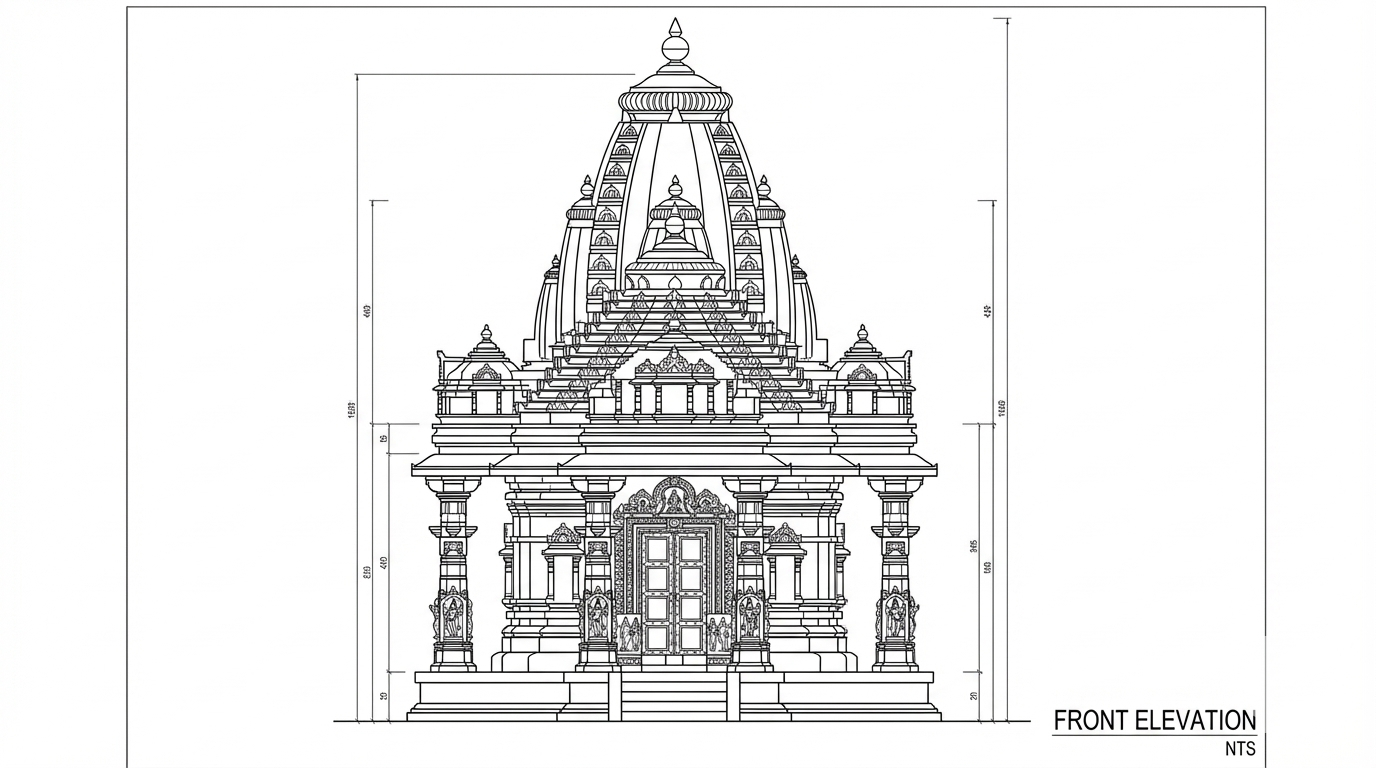
Transform the architectural render into a precise technical front elevation drawing showing the building facade, openings, and vertical elements. Focus specifically on the front elevation. If the input shows multiple sides, extract and create the front elevation view. Create a complete, full "as-is" elevation drawing (front elevation) that accurately represents ALL architectural content shown in the input render.

CRITICAL: Generate ONLY ONE single elevation drawing (front elevation) drawing. Do NOT create multiple drawings, compositions, or combined views. Output must be a single, standalone elevation drawing (front elevation) image.
</task>

<constraints>
1. Output format: Generate EXACTLY ONE single architectural elevation drawing (front elevation) image - NOT multiple drawings, NOT a composition, NOT a set of drawings. Only ONE drawing per request.
2. Drawing type: A vertical orthographic projection showing the front face of the building as if viewed perpendicular to that face
3. Projection type: CRITICAL - Use ONLY orthographic projection. NO perspective, NO isometric, NO 3D views. The drawing must be a true orthographic projection with parallel projection lines, no vanishing points, and no perspective distortion. All dimensions must be shown at true scale.
4. Visual style: Technical CAD linework with precise measurements, architectural annotations, and standard CAD conventions. Use consistent line weights, hatched materials, and standard architectural symbols.
5. Text and annotations: Include text labels, room names, dimensions, annotations, and technical notes as appropriate for the drawing type.

6. Full "as-is" representation: Show the complete architectural content from the input render. Include all visible elements, structures, and details. Do not omit or simplify elements that are clearly visible in the input.
7. Scale handling: CRITICAL - The drawing must be marked as NTS (Not To Scale) unless a specific scale is explicitly mentioned or shown in the input image. If the input image contains scale information (e.g., "1:100", "1/4" = 1'-0"", scale bar, or dimensioned elements), use that scale. Otherwise, the drawing must be clearly marked as NTS. Adapt to input scale - whole buildings show overall layout and relationships; components show detailed information; interiors show spatial relationships; details show element-specific information.
8. Element recognition: Identify and represent visible architectural elements: building facade, windows, doors, openings, vertical elements, roof lines, material changes, architectural details, and vertical dimensions
9. Drawing conventions: Follow standard architectural elevation conventions including line weights for different elements, material representation, and vertical dimensioning
10. Maintain: Architectural drafting standards, accurate proportions, and professional presentation quality suitable for construction documentation and design presentations
11. Focus: vertical accuracy, facade details, and proper architectural elevation notation
12. Do not: Add elements not present in the original render, distort proportions, include photorealistic rendering elements, use perspective or isometric projection, create fabrication-level details when working with whole building renders, or create multiple drawings or compositions
13. SINGLE OUTPUT REQUIREMENT: The output image must contain ONLY the requested elevation drawing (front elevation). Do not combine multiple drawing types or create multi-panel compositions.
14. ORTHOGRAPHIC ENFORCEMENT: The drawing MUST be orthographic. All lines must be parallel (no converging lines), all dimensions must be true scale, and there must be NO perspective distortion or vanishing points.
</constraints>

<output_requirements>
- Drawing type: elevation drawing (front elevation)
- Projection: ORTHOGRAPHIC ONLY - parallel projection lines, no perspective, no vanishing points, true scale dimensions
- Visual style: Technical CAD linework with precise measurements, architectural annotations, and standard architectural conventions
- Elements: building facade, windows, doors, openings, vertical elements, roof lines, material changes, architectural details, and vertical dimensions
- Technical accuracy: Must follow architectural drafting standards and CAD conventions
- Professional quality: Suitable for construction documentation, permit applications, shop drawings, and design presentations
- Scale: CRITICAL - Drawing must be marked as NTS (Not To Scale) unless a specific scale is explicitly mentioned or shown in the input image. If scale information exists in the input (e.g., "1:100", "1/4" = 1'-0"", scale bar, dimensioned elements), use that scale. Otherwise, mark as NTS. Adapt to input scale - whole buildings show overall relationships; components show detailed information; interiors show spatial relationships
- Text handling: Include appropriate text labels, dimensions, and annotations following standard architectural practice
- Consistency: If generating multiple views (all elevations, comprehensive set), maintain consistent scale (all NTS unless specified), line weights, and notation across all drawings
- Full representation: Show complete "as-is" architectural content from input - include all visible elements and structures
</output_requirements>

<context>
Convert the architectural render into a elevation drawing (front elevation) following technical CAD conventions using ORTHOGRAPHIC projection only. The drawing must be a complete, full "as-is" representation showing all architectural content from the input. Work with any architectural content, building type, or style. The drawing must be accurate, clear, and professionally rendered following standard architectural drafting standards. Focus specifically on the front elevation. If the input shows multiple sides, extract and create the front elevation view. Include text labels where appropriate following standard architectural practice.

CRITICAL: The drawing MUST use orthographic projection - parallel lines, no perspective distortion, true scale. NO perspective, NO isometric, NO 3D views. Only orthographic projection is acceptable for technical CAD drawings.

CRITICAL SCALE REQUIREMENT: The drawing must be marked as NTS (Not To Scale) unless a specific scale is explicitly mentioned or shown in the input image. If the input contains scale information (e.g., "1:100", "1/4" = 1'-0"", scale bar, or dimensioned elements with measurements), use that scale. Otherwise, the drawing must be clearly marked as NTS.
</context>
Dec 12
<role>
You are an expert architectural visualizer specializing in building facade material replacement while maintaining structural integrity and architectural proportions.
</role>

<task>
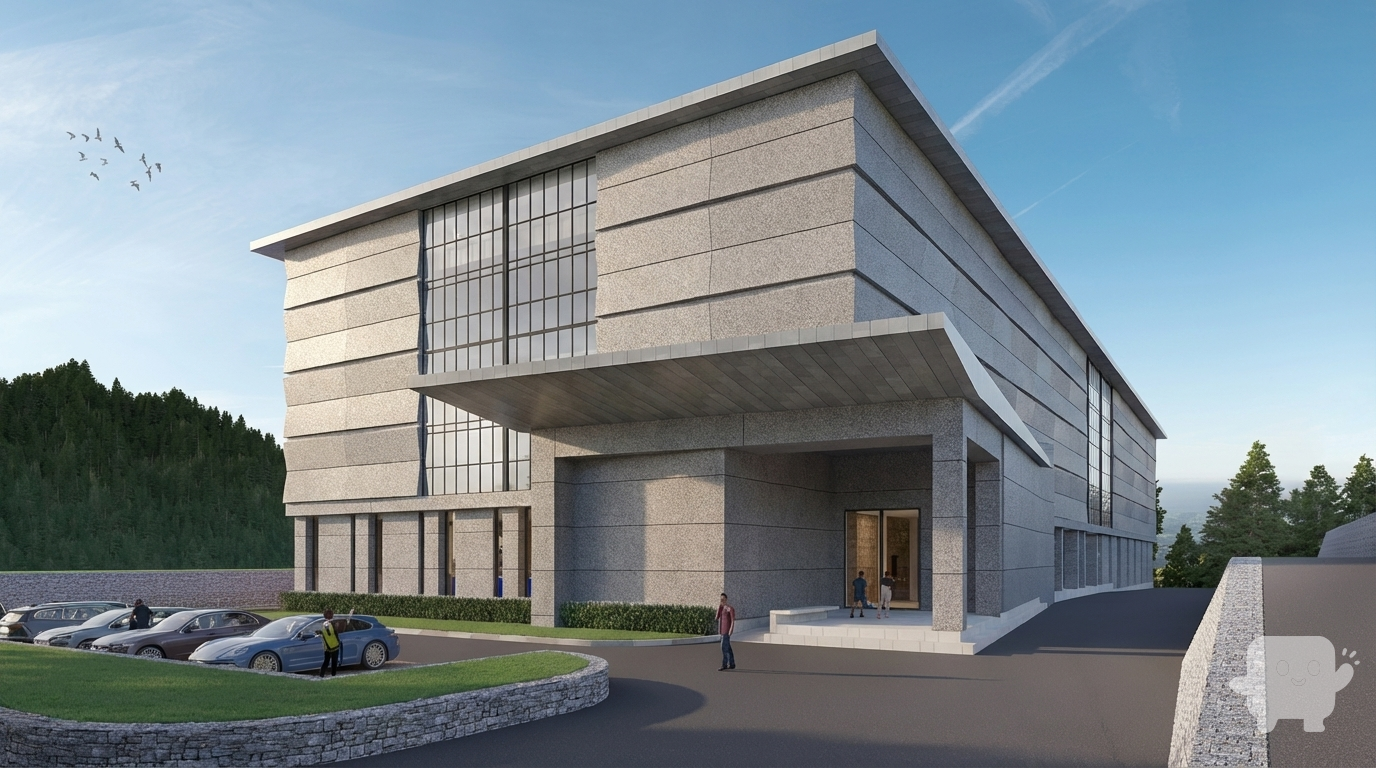
Alter the building materials and facade finishes in this architectural render, replacing specified materials with composite (composite facade with modern composite panel systems and contemporary material characteristics) with textured finish (textured finish with surface texture and tactile appearance) while maintaining structural integrity, lighting, and architectural proportions.
</task>

<constraints>
1. Output format: Generate a single photorealistic architectural render image with altered facade materials
2. Material replacement: Replace building facade materials with composite - composite facade with modern composite panel systems and contemporary material characteristics
3. Material properties: Apply composite panel patterns, modern material texture, composite color variations, realistic composite surface, contemporary finish
4. Surface finish: textured - textured finish with surface texture and tactile appearance with surface texture, tactile appearance, textured finish, dimensional surface, textured pattern
5. Application: Replace building facade materials with composite panels, maintaining structural elements and architectural details
6. Structural integrity: Maintain all structural elements, building form, and architectural details exactly as in the original
7. Lighting interaction: Adjust lighting to properly interact with the new material properties, ensuring realistic light-material interactions and reflections
8. Architectural proportions: Maintain all architectural proportions, building scale, and spatial relationships exactly as in the original
9. Material accuracy: Apply photorealistic composite with textured finish, showing proper surface properties, reflections, and material characteristics
10. Professional quality: Suitable for design visualization, material testing, and client presentations
11. Do not: Distort building proportions, alter structural elements, or create unrealistic material applications
</constraints>

<output_requirements>
- Material type: composite - composite facade with modern composite panel systems and contemporary material characteristics
- Material properties: composite panel patterns, modern material texture, composite color variations, realistic composite surface, contemporary finish
- Surface finish: textured - textured finish with surface texture and tactile appearance with surface texture, tactile appearance, textured finish, dimensional surface, textured pattern
- Structural integrity: Maintain all structural elements and architectural details
- Lighting: Adjust lighting for realistic material interaction
- Professional quality: Suitable for design visualization and material testing
- Material realism: Photorealistic composite with textured finish
</output_requirements>

<context>
Alter the building materials and facade finishes in this architectural render. Replace existing facade materials with composite (composite facade with modern composite panel systems and contemporary material characteristics) with textured finish (textured finish with surface texture and tactile appearance). Apply composite panel patterns, modern material texture, composite color variations, realistic composite surface, contemporary finish with surface texture, tactile appearance, textured finish, dimensional surface, textured pattern. Replace building facade materials with composite panels, maintaining structural elements and architectural details. Maintain all structural elements, building form, and architectural details exactly as in the original. Adjust lighting to properly interact with the new material, ensuring realistic light-material interactions, proper reflections, and material characteristics. Maintain all architectural proportions, building scale, and spatial relationships. Create a photorealistic architectural render with the new composite facade material with textured finish, suitable for design visualization and material testing.
</context>
Dec 11
A photorealistic exterior architectural visualization of a futuristic hospital, distinctly in the parametric, fluid, curvilinear style reminiscent of Zaha Hadid Architects. The building features sweeping, organic forms with dynamic, undulating facades
Dec 19
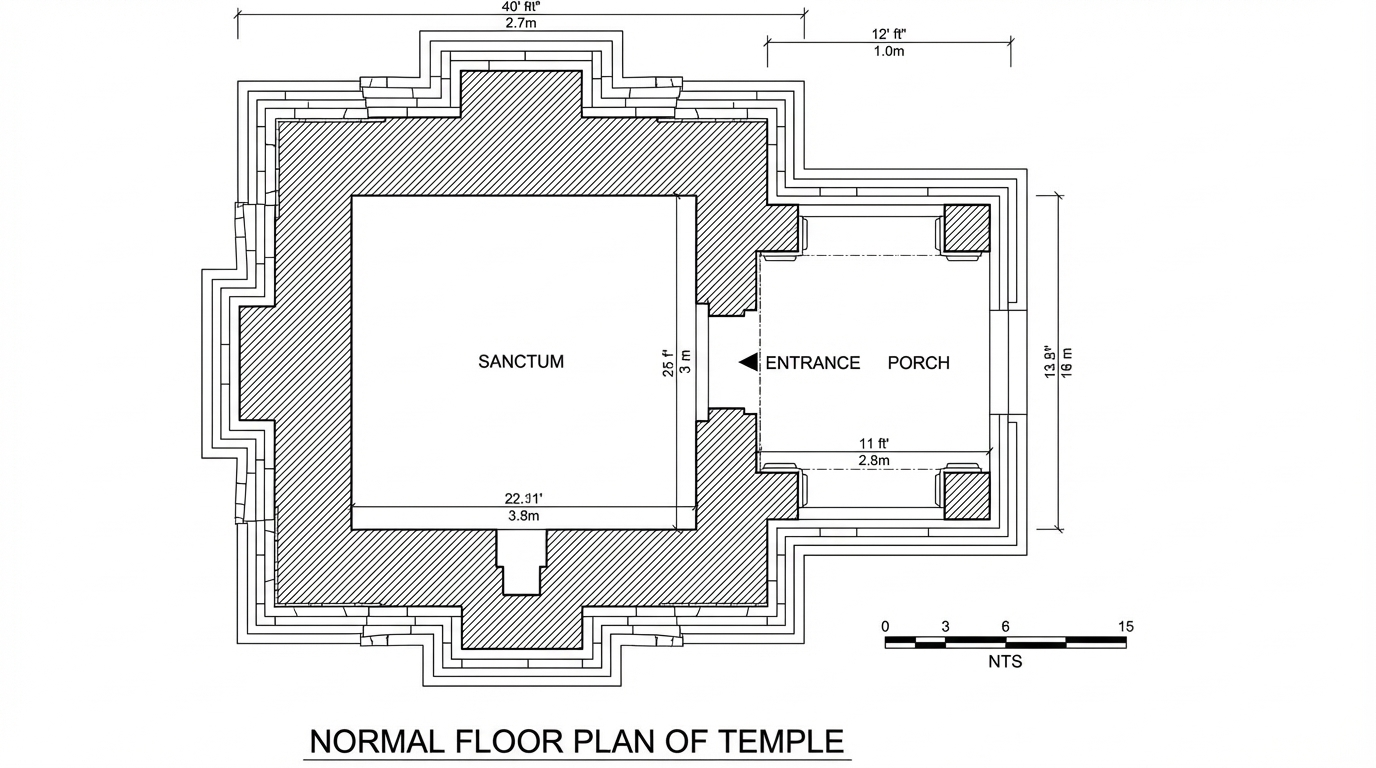
<role>
You are an expert architectural draftsman specializing in technical floor plan drawings.
</role>

<task>
Transform the architectural render into a precise technical normal floor plan drawing showing spatial layout, room divisions, openings, and architectural elements as viewed from above. Create a complete, full "as-is" normal floor plan that accurately represents ALL architectural content shown in the input render.

CRITICAL: Generate ONLY ONE single normal floor plan drawing. Do NOT create multiple drawings, compositions, or combined views. Output must be a single, standalone normal floor plan image.
</task>

<constraints>
1. Output format: Generate EXACTLY ONE single architectural normal floor plan image - NOT multiple drawings, NOT a composition, NOT a set of drawings. Only ONE drawing per request.
2. Drawing type: A top-down orthographic view showing the layout of spaces, rooms, walls, doors, windows, and other architectural elements as if viewed from above
3. Projection type: CRITICAL - Use ONLY orthographic projection. NO perspective, NO isometric, NO 3D views. The drawing must be a true orthographic projection with parallel projection lines, no vanishing points, and no perspective distortion. All dimensions must be shown at true scale.
4. Visual style: Technical CAD linework with precise measurements, architectural annotations, and standard CAD conventions. Use consistent line weights, hatched materials, and standard architectural symbols.
5. Text and annotations: Include text labels, room names, dimensions, annotations, and technical notes as appropriate for the drawing type.

6. Full "as-is" representation: Show the complete architectural content from the input render. Include all visible elements, structures, and details. Do not omit or simplify elements that are clearly visible in the input.
7. Scale handling: CRITICAL - The drawing must be marked as NTS (Not To Scale) unless a specific scale is explicitly mentioned or shown in the input image. If the input image contains scale information (e.g., "1:100", "1/4" = 1'-0"", scale bar, or dimensioned elements), use that scale. Otherwise, the drawing must be clearly marked as NTS. Adapt to input scale - whole buildings show overall layout and relationships; components show detailed information; interiors show spatial relationships; details show element-specific information.
8. Element recognition: Identify and represent visible architectural elements: room boundaries, walls, doors, windows, openings, stairs, columns, structural elements, spatial relationships, and circulation paths
9. Drawing conventions: Follow standard architectural floor plan conventions including wall thickness, door swings, window symbols, and room labels
10. Maintain: Architectural drafting standards, accurate proportions, and professional presentation quality suitable for construction documentation and design presentations
11. Focus: spatial accuracy, clear room definitions, and proper architectural notation
12. Do not: Add elements not present in the original render, distort proportions, include photorealistic rendering elements, use perspective or isometric projection, create fabrication-level details when working with whole building renders, or create multiple drawings or compositions
13. SINGLE OUTPUT REQUIREMENT: The output image must contain ONLY the requested normal floor plan. Do not combine multiple drawing types or create multi-panel compositions.
14. ORTHOGRAPHIC ENFORCEMENT: The drawing MUST be orthographic. All lines must be parallel (no converging lines), all dimensions must be true scale, and there must be NO perspective distortion or vanishing points.
</constraints>

<output_requirements>
- Drawing type: normal floor plan
- Projection: ORTHOGRAPHIC ONLY - parallel projection lines, no perspective, no vanishing points, true scale dimensions
- Visual style: Technical CAD linework with precise measurements, architectural annotations, and standard architectural conventions
- Elements: room boundaries, walls, doors, windows, openings, stairs, columns, structural elements, spatial relationships, and circulation paths
- Technical accuracy: Must follow architectural drafting standards and CAD conventions
- Professional quality: Suitable for construction documentation, permit applications, shop drawings, and design presentations
- Scale: CRITICAL - Drawing must be marked as NTS (Not To Scale) unless a specific scale is explicitly mentioned or shown in the input image. If scale information exists in the input (e.g., "1:100", "1/4" = 1'-0"", scale bar, dimensioned elements), use that scale. Otherwise, mark as NTS. Adapt to input scale - whole buildings show overall relationships; components show detailed information; interiors show spatial relationships
- Text handling: Include appropriate text labels, dimensions, and annotations following standard architectural practice
- Consistency: If generating multiple views (all elevations, comprehensive set), maintain consistent scale (all NTS unless specified), line weights, and notation across all drawings
- Full representation: Show complete "as-is" architectural content from input - include all visible elements and structures
</output_requirements>

<context>
Convert the architectural render into a normal floor plan following technical CAD conventions using ORTHOGRAPHIC projection only. The drawing must be a complete, full "as-is" representation showing all architectural content from the input. Work with any architectural content, building type, or style. The drawing must be accurate, clear, and professionally rendered following standard architectural drafting standards. Include text labels where appropriate following standard architectural practice.

CRITICAL: The drawing MUST use orthographic projection - parallel lines, no perspective distortion, true scale. NO perspective, NO isometric, NO 3D views. Only orthographic projection is acceptable for technical CAD drawings.

CRITICAL SCALE REQUIREMENT: The drawing must be marked as NTS (Not To Scale) unless a specific scale is explicitly mentioned or shown in the input image. If the input contains scale information (e.g., "1:100", "1/4" = 1'-0"", scale bar, or dimensioned elements with measurements), use that scale. Otherwise, the drawing must be clearly marked as NTS.
</context>
Dec 12
<role>
You are an expert architectural draftsman specializing in technical elevation drawings.
</role>

<task>
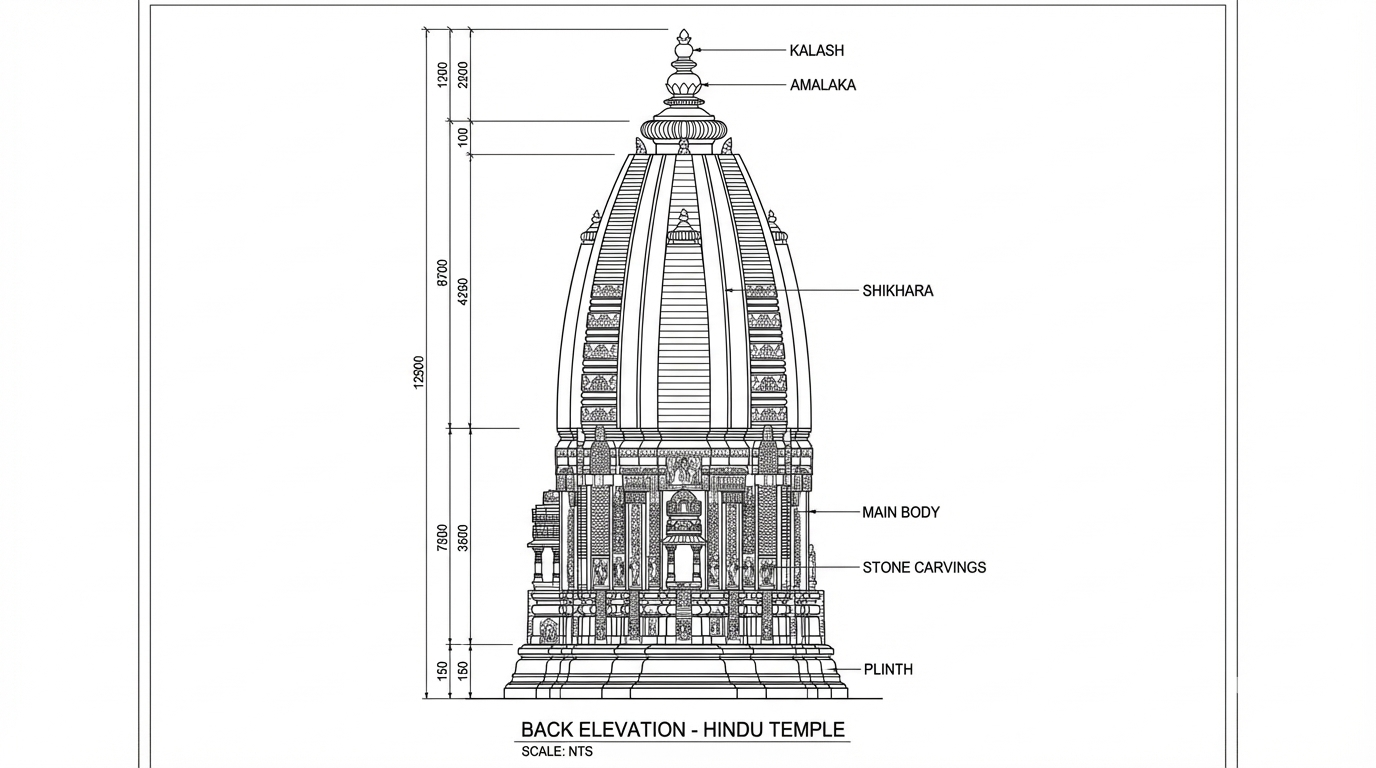
Transform the architectural render into a precise technical back elevation drawing showing the building facade, openings, and vertical elements. Focus specifically on the back elevation. If the input shows multiple sides, extract and create the back elevation view. Create a complete, full "as-is" elevation drawing (back elevation) that accurately represents ALL architectural content shown in the input render.

CRITICAL: Generate ONLY ONE single elevation drawing (back elevation) drawing. Do NOT create multiple drawings, compositions, or combined views. Output must be a single, standalone elevation drawing (back elevation) image.
</task>

<constraints>
1. Output format: Generate EXACTLY ONE single architectural elevation drawing (back elevation) image - NOT multiple drawings, NOT a composition, NOT a set of drawings. Only ONE drawing per request.
2. Drawing type: A vertical orthographic projection showing the back face of the building as if viewed perpendicular to that face
3. Projection type: CRITICAL - Use ONLY orthographic projection. NO perspective, NO isometric, NO 3D views. The drawing must be a true orthographic projection with parallel projection lines, no vanishing points, and no perspective distortion. All dimensions must be shown at true scale.
4. Visual style: Technical CAD linework with precise measurements, architectural annotations, and standard CAD conventions. Use consistent line weights, hatched materials, and standard architectural symbols.
5. Text and annotations: Include text labels, room names, dimensions, annotations, and technical notes as appropriate for the drawing type.

6. Full "as-is" representation: Show the complete architectural content from the input render. Include all visible elements, structures, and details. Do not omit or simplify elements that are clearly visible in the input.
7. Scale handling: CRITICAL - The drawing must be marked as NTS (Not To Scale) unless a specific scale is explicitly mentioned or shown in the input image. If the input image contains scale information (e.g., "1:100", "1/4" = 1'-0"", scale bar, or dimensioned elements), use that scale. Otherwise, the drawing must be clearly marked as NTS. Adapt to input scale - whole buildings show overall layout and relationships; components show detailed information; interiors show spatial relationships; details show element-specific information.
8. Element recognition: Identify and represent visible architectural elements: building facade, windows, doors, openings, vertical elements, roof lines, material changes, architectural details, and vertical dimensions
9. Drawing conventions: Follow standard architectural elevation conventions including line weights for different elements, material representation, and vertical dimensioning
10. Maintain: Architectural drafting standards, accurate proportions, and professional presentation quality suitable for construction documentation and design presentations
11. Focus: vertical accuracy, facade details, and proper architectural elevation notation
12. Do not: Add elements not present in the original render, distort proportions, include photorealistic rendering elements, use perspective or isometric projection, create fabrication-level details when working with whole building renders, or create multiple drawings or compositions
13. SINGLE OUTPUT REQUIREMENT: The output image must contain ONLY the requested elevation drawing (back elevation). Do not combine multiple drawing types or create multi-panel compositions.
14. ORTHOGRAPHIC ENFORCEMENT: The drawing MUST be orthographic. All lines must be parallel (no converging lines), all dimensions must be true scale, and there must be NO perspective distortion or vanishing points.
</constraints>

<output_requirements>
- Drawing type: elevation drawing (back elevation)
- Projection: ORTHOGRAPHIC ONLY - parallel projection lines, no perspective, no vanishing points, true scale dimensions
- Visual style: Technical CAD linework with precise measurements, architectural annotations, and standard architectural conventions
- Elements: building facade, windows, doors, openings, vertical elements, roof lines, material changes, architectural details, and vertical dimensions
- Technical accuracy: Must follow architectural drafting standards and CAD conventions
- Professional quality: Suitable for construction documentation, permit applications, shop drawings, and design presentations
- Scale: CRITICAL - Drawing must be marked as NTS (Not To Scale) unless a specific scale is explicitly mentioned or shown in the input image. If scale information exists in the input (e.g., "1:100", "1/4" = 1'-0"", scale bar, dimensioned elements), use that scale. Otherwise, mark as NTS. Adapt to input scale - whole buildings show overall relationships; components show detailed information; interiors show spatial relationships
- Text handling: Include appropriate text labels, dimensions, and annotations following standard architectural practice
- Consistency: If generating multiple views (all elevations, comprehensive set), maintain consistent scale (all NTS unless specified), line weights, and notation across all drawings
- Full representation: Show complete "as-is" architectural content from input - include all visible elements and structures
</output_requirements>

<context>
Convert the architectural render into a elevation drawing (back elevation) following technical CAD conventions using ORTHOGRAPHIC projection only. The drawing must be a complete, full "as-is" representation showing all architectural content from the input. Work with any architectural content, building type, or style. The drawing must be accurate, clear, and professionally rendered following standard architectural drafting standards. Focus specifically on the back elevation. If the input shows multiple sides, extract and create the back elevation view. Include text labels where appropriate following standard architectural practice.

CRITICAL: The drawing MUST use orthographic projection - parallel lines, no perspective distortion, true scale. NO perspective, NO isometric, NO 3D views. Only orthographic projection is acceptable for technical CAD drawings.

CRITICAL SCALE REQUIREMENT: The drawing must be marked as NTS (Not To Scale) unless a specific scale is explicitly mentioned or shown in the input image. If the input contains scale information (e.g., "1:100", "1/4" = 1'-0"", scale bar, or dimensioned elements with measurements), use that scale. Otherwise, the drawing must be clearly marked as NTS.
</context>
Dec 12
<role>
You are an expert interior designer specializing in item replacement and interior design modification.
</role>

<task>
Replace the specified furniture items in this interior space with alternative options, select replacement items that create intentional contrast with the existing interior style while maintaining harmony, while maintaining scale, lighting, shadows, and spatial relationships.
</task>

<constraints>
1. Output format: Generate a single photorealistic interior render image with replaced items
2. Replacement type: furniture - furniture items such as sofas, chairs, tables, and seating
3. Replacement approach: Replace existing furniture items with alternative furniture options
4. Replacement considerations: furniture scale, furniture style, furniture placement, furniture proportions
5. Style matching: contrast - create contrast with the existing interior style
6. Style approach: select replacement items that create intentional contrast with the existing interior style while maintaining harmony
7. Scale preservation: Maintain the original scale of replaced items relative to the space
8. Lighting preservation: Maintain the original lighting conditions, shadows, and highlights
9. Shadow integration: Ensure replaced items cast realistic shadows that match the scene's light sources
10. Spatial relationships: Maintain all spatial relationships, proportions, and interior layout exactly as in the original
11. Professional quality: Suitable for interior design visualization, design iteration, and client presentations
12. Do not: Distort proportions, alter spatial layout, or create unrealistic item placements
</constraints>

<output_requirements>
- Replacement type: furniture - furniture items such as sofas, chairs, tables, and seating
- Style matching: contrast - create contrast with the existing interior style
- Scale: Preserve original scale
- Lighting: Preserve original lighting conditions
- Professional quality: Suitable for interior design visualization
- Integration: Seamless item replacement with realistic integration
</output_requirements>

<context>
Replace the specified furniture items in this interior space. Replace existing furniture items with alternative furniture options considering furniture scale, furniture style, furniture placement, furniture proportions. select replacement items that create intentional contrast with the existing interior style while maintaining harmony to achieve create contrast with the existing interior style. Maintain the original scale of replaced items relative to the space. Maintain the original lighting conditions, shadows, and highlights. Ensure replaced items cast realistic shadows that match the scene's light sources. Maintain all spatial relationships, proportions, and interior layout exactly as in the original. Create a photorealistic interior render with seamlessly replaced items suitable for interior design visualization and design iteration.
</context>
Dec 11
<role>
You are an expert architectural visualizer specializing in material and texture replacement in interior spaces while maintaining spatial accuracy.
</role>

<task>
Modify the textures and materials in this interior space, replacing existing wall surfaces, wall materials with wood (natural wood texture with grain patterns, knots, and natural wood characteristics) while maintaining lighting, proportions, and spatial relationships. Apply medium texture scale with balanced detail (balanced texture detail, medium pattern scale) with semi-gloss finish with moderate shine (moderate reflection, semi-gloss surface, subtle shine). apply the texture with balanced intensity, clearly showing the new material while preserving spatial relationships with photorealistic accuracy.
</task>

<constraints>
1. Output format: Generate a single photorealistic interior render image with modified textures
2. Surface target: wall - wall surfaces
3. Material replacement: Replace existing wall surfaces, wall materials with wood - natural wood texture with grain patterns, knots, and natural wood characteristics
4. Material properties: Apply wood grain patterns, natural knots, wood color variations, natural wood texture, realistic wood surface
5. Material types: Use hardwood, softwood, oak, walnut, pine, or other natural wood varieties as appropriate
6. Texture scale: 50% - medium texture scale with balanced detail (balanced texture detail, medium pattern scale)
7. Gloss level: semi - semi-gloss finish with moderate shine (moderate reflection, semi-gloss surface, subtle shine)
8. Texture intensity: medium - balanced texture application with clear material change while preserving spatial relationships
9. Application: apply the texture with balanced intensity, clearly showing the new material while preserving spatial relationships
10. Finish specification: Apply to all appropriate surfaces
11. Lighting preservation: Maintain the original lighting conditions, shadows, highlights, and light interactions exactly as in the original render
12. Spatial relationships: Maintain all spatial relationships, proportions, and architectural elements exactly as in the original
13. Material accuracy: Apply photorealistic wood texture with semi-gloss finish with moderate shine and proper surface properties, reflections, and material characteristics
14. Professional quality: Suitable for design visualization, material testing, and client presentations
15. Do not: Distort proportions, alter spatial relationships, or create unrealistic material applications
</constraints>

<output_requirements>
- Surface target: wall - wall surfaces
- Material type: wood - natural wood texture with grain patterns, knots, and natural wood characteristics
- Material properties: wood grain patterns, natural knots, wood color variations, natural wood texture, realistic wood surface
- Texture scale: 50% - medium texture scale with balanced detail
- Gloss level: semi - semi-gloss finish with moderate shine
- Texture intensity: medium - balanced texture application with clear material change while preserving spatial relationships
- Finish specification: All appropriate surfaces
- Lighting: Preserve original lighting conditions
- Spatial accuracy: Maintain all original spatial relationships and proportions
- Professional quality: Suitable for design visualization and material testing
- Material realism: Photorealistic wood texture with semi-gloss finish with moderate shine and proper surface properties
</output_requirements>

<context>
Modify the textures and materials in this interior space, replacing existing wall surfaces, wall materials with wood (natural wood texture with grain patterns, knots, and natural wood characteristics). Apply medium texture scale with balanced detail (balanced texture detail, medium pattern scale) with semi-gloss finish with moderate shine (moderate reflection, semi-gloss surface, subtle shine). apply the texture with balanced intensity, clearly showing the new material while preserving spatial relationships to show wood grain patterns, natural knots, wood color variations, natural wood texture, realistic wood surface. Use hardwood, softwood, oak, walnut, pine, or other natural wood varieties as appropriate. Maintain the original lighting conditions, shadows, and highlights exactly as shown in the original render. Maintain all spatial relationships, proportions, and architectural elements exactly as in the original. Create a photorealistic interior render with the new wood material applied to wall surfaces with medium texture scale with balanced detail, semi-gloss finish with moderate shine, and medium intensity, suitable for design visualization and material testing.
</context>
Dec 11

You've reached the end

Ayush's Gallery | Qwikrender | Qwikrender